Splikit · Swipe posts
Instagram Carousel Splitter Free
Free private Instagram carousel splitter for seamless 4:5 swipe slides. Crop, split, ZIP—no signup.
Drop a wide image here or click to choose
JPG, PNG, WebP, GIF, BMP, AVIF, up to 50 MB
What is an Instagram carousel splitter?
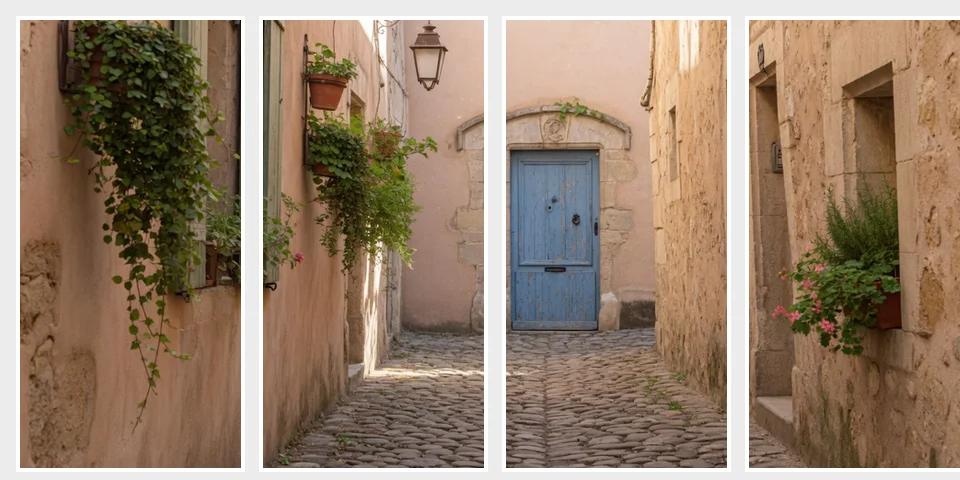
An Instagram carousel splitter turns one wide design into multiple portrait slides that swipe as a single post. Unlike a profile mosaic tool, this workflow optimizes continuous storytelling inside one carousel—often at 4:5.
Splikit keeps processing private in the browser. You preview seams, export ordered files, and avoid account walls common on template sites. For true profile 3×3 puzzles, use the grid maker instead. Wide artwork still belongs here when the job is a 4:5 Instagram swipe post.
Carousel posts reward narrative pacing. Put the hook on slide one, supporting detail in the middle, and a clear next step on the final frame. Leave critical logos a few pixels away from vertical seams so compression does not nibble brand marks.
Designers often build the master in Figma or Canva, then come here only for the cut. That split of labor is intentional: Splikit is the private finishing step, not a full design suite.
How to use the Instagram carousel splitter
Upload a wide design
Start with a panoramic or multi-panel graphic wider than a single 4:5 frame.
Crop and set slides
Frame the story, pick slide count, and preview seams before export.
Download the ZIP
Export ordered 4:5 slides and upload them as one Instagram carousel post.
Instagram carousel splitter tips for seamless swipes
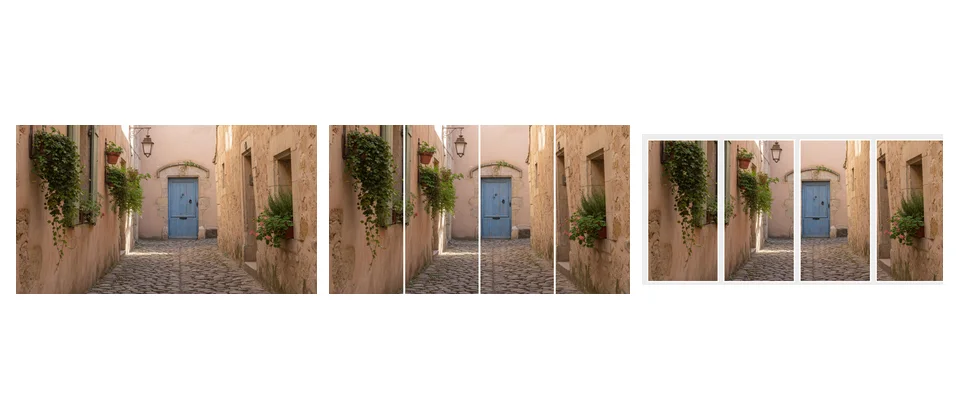
Keep faces and logos off vertical cut lines when the tool divides a wide master. Export ZIP order should match upload order inside Instagram’s multi-select sheet.
If you need profile-wide aesthetics rather than a single swipe post, switch to the Instagram grid maker. Every export on this page is a 4:5 Instagram carousel slide.
People often compare Canva and Photoshop actions for this job. Those tools are fine for design; Splikit is for fast, private splitting once the art is ready. You also avoid re-uploading campaign drafts to yet another SaaS library.
When slides feel too tight, reduce count rather than forcing micro-panels. Fewer, clearer frames usually outperform ten busy crops that hide the story.
Use cases for a free Instagram carousel splitter
Instagram carousel splitter FAQ
Is the Instagram carousel splitter free?
Yes. Splikit is free online with no account and no watermark. Processing stays in your browser.
What slide size does this tool use?
It targets seamless 4:5 portrait slides commonly used for modern Instagram carousel posts. You control how many slides the wide source becomes.
Is this the same as an Instagram grid maker?
No. A grid maker focuses on profile 3×3 puzzles posted as separate feed items. This page builds one multi-slide swipe post from a wide design.
Can I use it without Photoshop or Canva?
Yes. Upload a wide image, crop, set slide count, and download a ZIP—no Photoshop or Canva required for the split step.
Does Splikit upload my design?
No. Core cropping and export run locally so campaign drafts do not need a server upload.
How many slides can I create?
Choose a practical carousel length for your story (commonly 2–10). Keep critical subjects away from vertical seams between slides.
Why use 4:5 for swipe posts?
4:5 uses more mobile screen height than square tiles, so swipe stories feel larger while remaining feed-friendly.
Can I split video here?
This page is for still images. For video carousels, export frames or use a video editor; then split stills here if needed.
How does this compare to free Canva-style tools?
Alternatives include Canva templates and desktop apps. Splikit prioritizes private browser splits and numbered ZIP export without an account wall.
Open the Instagram carousel splitter
Private 4:5 slides · ZIP export · free
Split carousel now